Fallback routing
The concept behind models and routing is explained in Models and routing.
On Routing you decide which model a turn runs on when the model it asked for cannot answer. You create routing configurations there and put them to use. Each configuration is a card that shows every chain as a line: the model asked for, then its numbered alternatives. The line under the name says how many models it covers, what uses it (the organisation default, and how many keys) and when it last changed.
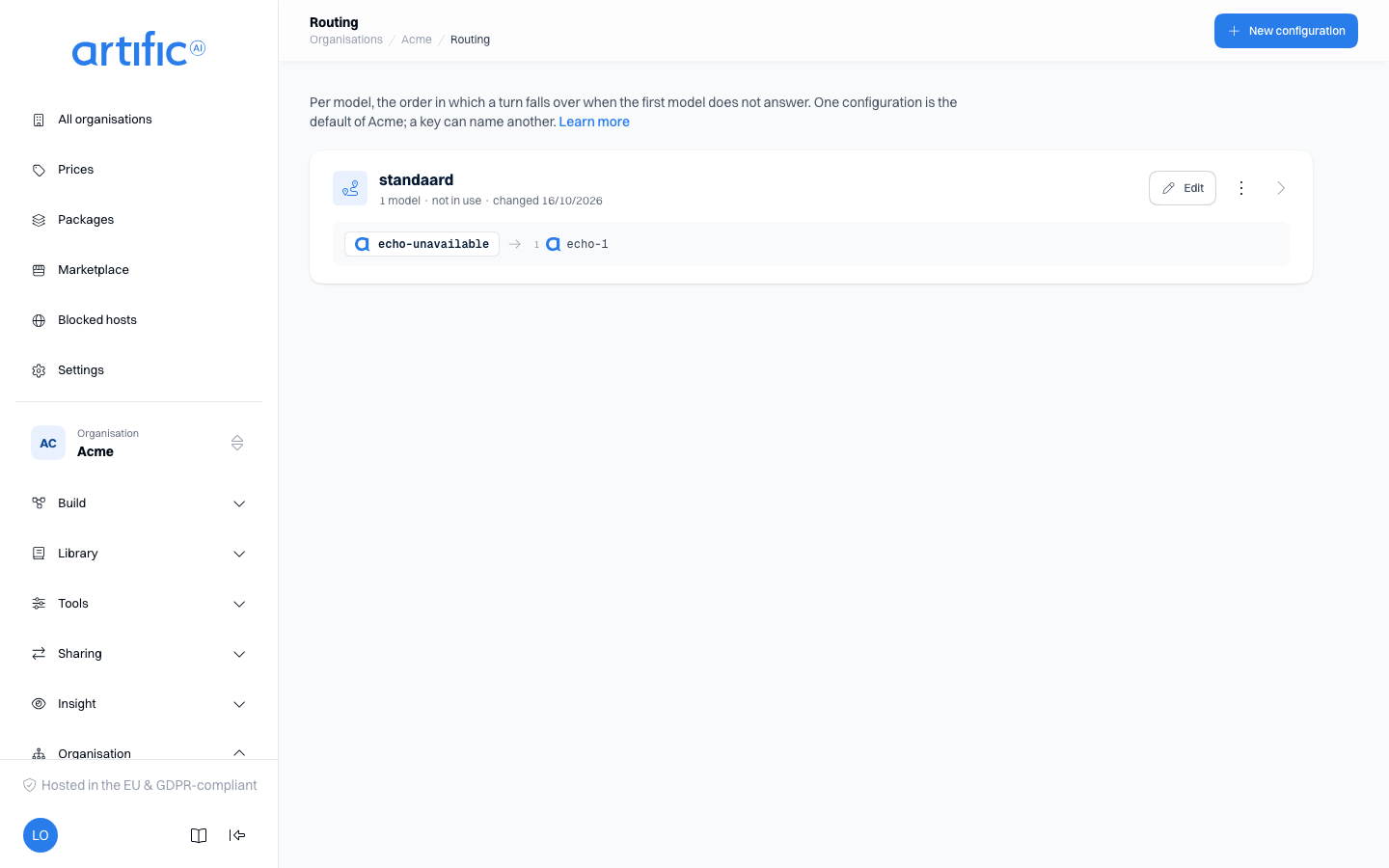
A routing configuration is a named list of chains. Each chain names one model and, in order, the models to try instead of it. A configuration applies to a key as a whole: set one as this organisation's default, or name one on a single key. See Fall back to another model for what a caller sees. To let Core choose the model for a turn instead, see Routers.
You need an administrator account of the organisation. When the organisation above reserves key
management, you can read configurations and not change them (below). With a key that holds
management you do the same through the API
(Manage organisations through the API).
Create a configuration
- Select New configuration in the page bar and enter a unique Name.
- Under Model asked for, choose the model that needs a fallback.
- Use Add alternative to select one to four chat models. Core tries them in the numbered order. Use Move alternative up and Move alternative down on an alternative to change that order.
- Use Add chain to configure another model.
- Select Create in the bar at the foot of the page.
You change an existing configuration on its own page: select Edit on its card, make your changes and select Save. There the same bar counts your unsaved changes; Cancel puts the stored values back. Used by beside the form names the organisation default and the keys that use the configuration, each a link.
A model can start only one chain, and cannot appear twice within a chain. The form disables invalid choices. Core validates the complete configuration when you save it; an error leaves the form open with an explanation.
Alternatives may use other providers or regions. During execution, Core rechecks the key's policy and the request's hosting requirement. A saved chain does not grant additional permissions.
Drafts
Every change to the chains is a numbered version. On an existing configuration's page, Save applies the change at once to every key that uses it; Save as draft v… makes it a draft that no turn falls back on yet. You make a new configuration with Create, or as a draft with Save as draft. Such a configuration is marked draft and cannot be assigned to a key or the organisation yet.
Under the form, Versions lists every version. Open a draft to see its chains and choose Publish or Discard draft. The only draft of a configuration with nothing published cannot be discarded: delete the configuration instead.
A model that is no longer offered
A model that is no longer available remains in the saved configuration with the label not in the catalogue. Core skips unavailable alternatives during fallback. Remove or replace the model to update the configuration.
Assign a configuration
In the console you assign the configuration to an organisation or a key:
- Set it as the default on Settings. Keys without their own configuration use this default when fallback is enabled.
- Select it under Fallback routing on a key. This selection takes precedence over the organisation default.
An agent version and a single request can also name a configuration of their own, through the API, and that one takes precedence over the key's (A configuration for one agent or one turn). The agent form in the console has no field for it; a version you save there keeps the configuration its agent already names.
You can disable fallback per key; a key with fallback disabled falls back on nothing, whatever an agent or a request names. Child organisations do not inherit the routing default; each has its own setting.
Fallback during a call
For a timeout, overload or server error, Core first applies the model's retry rules. If the model still cannot answer, Core tries the next permitted alternative.
- Core follows only the originally requested model's chain. It does not follow an alternative's own chain.
- After successful fallback, the turn uses that model for the remaining tool rounds.
- The response's
modelnames the alternative that answered. Usage is attributed to the model that actually ran. - Streaming allows fallback only before the first text has been sent.
See Fall back to another model for failures that do not trigger fallback.
Delete a configuration
Select Delete in the card's menu, or in the danger zone on the configuration's own page, and
confirm; on a phone the card has no menu, so you delete through the danger zone there. Core refuses deletion while the configuration is an organisation default, is assigned to
a key, or is named by an agent's latest version. The console then lists what still uses it, each
with a link: Settings for the default, the key's own page for a key
(Keys), and the agent's page for an agent. Change the default or the
key's selection there. An agent needs a new version with another routing_config_id, or none,
which you write through the API (Agents through the API). Then
try again.
Reserved key management
If the parent organisation has reserved key management, routing configurations are read-only. Ask an operator or a parent organisation administrator to create, change or delete them.